
Quick answer
- To shoot: start with the built-in Camera app in Night mode on a tripod. It is free and very good on iPhone 11 and later.
- For more control: NightCap Camera (Stars mode, star trails) or AstroShader (manual exposure, with live stacking).
- To stack a series you already took: Astro Stacker stacks photos from Photos or Files on iPhone and iPad.
- To plan: Stellarium for where things are, PhotoPills for the Milky Way over a landscape, Clear Outside for cloud.
1. Apps for taking the photos
- The Camera app (free, built in)
- Night mode works on iPhone 11 and later. On a tripod it allows longer captures: tap the Night mode button and drag the slider to Max. It is the easiest start, and the photos it saves stack well. Our iPhone astrophotography settings guide covers each model.
- NightCap Camera (paid)
- A long-exposure camera app with special night modes. Stars mode sets up a 10-second exposure after a short timer. It also has star-trail, meteor and ISS modes. A good choice if you want to shoot without learning manual settings.
- AstroShader (one-time purchase, iPhone only)
- Manual focus, exposure time, ISO and white balance, plus an intervalometer. It can align and stack while it captures, and has editing tools such as stretch and background extraction. A strong all-in-one choice for people who like to control every setting.
- General long-exposure apps
- Apps such as Spectre are built for light trails and smooth water, not stars. They are fun at night in a city, but not the right tool for a starry sky.
2. Apps for stacking
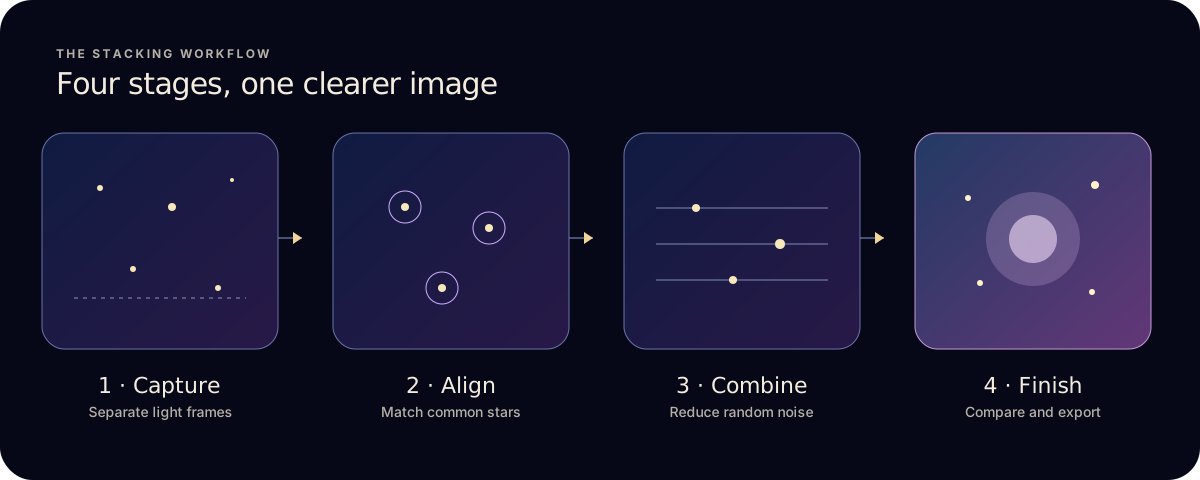
Stacking lines up many photos of the same sky using the stars, then combines them. Random noise cancels out and faint stars stay, so the result is cleaner than any single photo. How stacking works explains it step by step.
- Astro Stacker (free to try; Pro subscription)
- Stacks a series you already have, from Photos or Files, on iPhone and iPad. Pick Quick, Quality or Max Detail and the app aligns the stars, keeps the best frames and stacks them. Finishing tools and styles are built in. Pro adds RAW, Apple ProRAW and FITS files from cameras and telescopes, dark, flat and bias calibration, and 16-bit export. The free plan includes 1 stack a month with up to 10 photos.
- AstroShader
- Stacks during capture, and can also stack photos from your library. If you want one app to shoot and stack in the same session, it is worth a look.
- On a computer
- Desktop stackers do more but need the files moved off the phone. See stacking software for Mac and the comparison for DeepSkyStacker and Sequator users.
3. Apps for planning the night
- Stellarium Mobile
- A live sky map. Point the phone at the sky to see which stars, planets and constellations are there, and when they rise and set.
- PhotoPills (paid)
- Plans where the Milky Way will sit over a landscape on a given night, with augmented reality to line up the shot.
- Clear Outside (free)
- A cloud forecast made for astronomers, split into low, medium and high cloud by the hour.
- The calendar
- Dark nights matter more than any app. Check the new moon dates, and if you’re after the Milky Way, when its core is up each month.
4. A simple kit that works
| You want | Use |
|---|---|
| To start tonight, free | Camera app in Night mode, a tripod, then the Astro Stacker free stack |
| Easy night modes without manual settings | NightCap Camera, then stack the series |
| Full manual control in one app | AstroShader |
| RAW, ProRAW or telescope FITS files, with calibration frames | Astro Stacker Pro, on iPhone or iPad |
| The Milky Way over a place you know | PhotoPills to plan, Clear Outside for cloud, then shoot and stack |
- Pick a dark night near a new moon, with a clear forecast.
- Put the iPhone on a tripod and point it at the stars.
- Take 10 to 20 photos of the same patch of sky without moving the phone.
- Stack them in Astro Stacker, then finish and save.
Ready to stack? Read how to stack astrophotography photos on iPhone.