Quick answer
- Choose Astro Stacker when you want to stack on iPhone or iPad without a computer.
- Light frames, darks, flats, bias and dark-flats, star alignment and kappa-sigma stacking carry over.
- You pick a mode, not a method, and there’s no LRGB, mono-channel combination or narrowband palette.
- Colour FITS files from one-shot-colour cameras aren’t debayered yet, so keep a desktop tool for those.
1. What will feel familiar
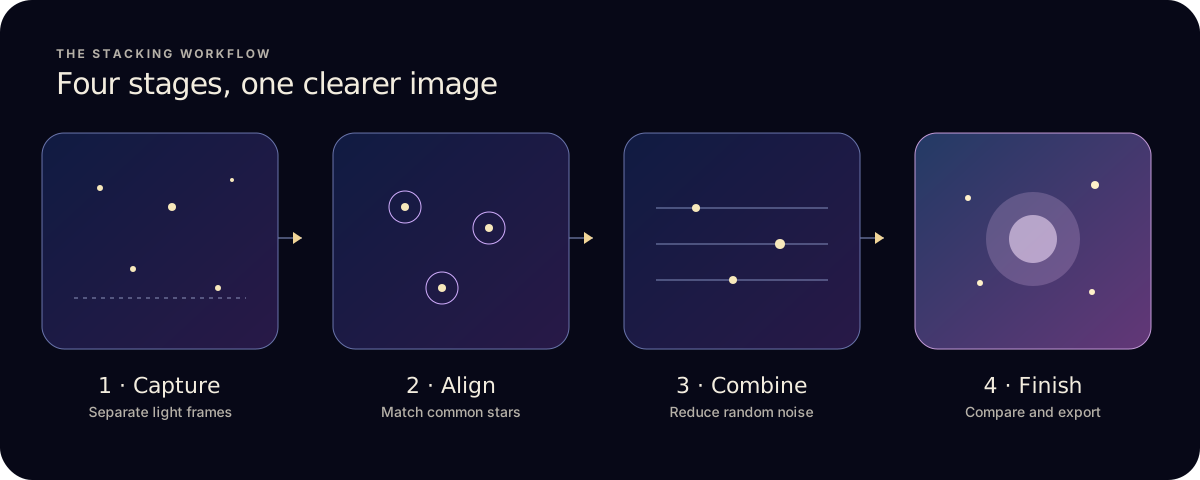
The core pipeline is the one you already know: register light frames on their stars, calibrate them, combine them and save a result you can keep processing.
- Calibration frames: darks, flats, bias and dark-flats are applied before stacking, on Pro.
- Star registration: frames are aligned on common stars with sub-pixel accuracy, and each frame’s quality is assessed before combining.
- Kappa-sigma rejection: a method DeepSkyStacker users will know. The default Quality mode uses it and drops the weakest frames automatically.
- Outputs for further work: TIFF and FITS export, with 16-bit on Pro, alongside JPG and PNG.
- Inputs: photos from Photos, plus camera RAW, Apple ProRAW and compatible FITS through Files on Pro.
New to the terms? How astrophotography stacking works explains registration, each method and every calibration frame type.
2. What works differently
- Where it runs
- DeepSkyStacker and Sequator run on a Windows PC. Astro Stacker runs only on iPhone and iPad, iOS or iPadOS 17.0 or later, with stacking done on-device.
- Getting files in
- Instead of pointing at a folder on a disk, you import from Photos or the Files app. Copy a session to local storage or a connected drive first.
- Modes instead of settings
- There’s no method or alignment menu. You choose Quick (Average), Quality (Kappa-sigma, weakest 10% of frames left out) or Max Detail (Kappa-sigma with finer alignment, weakest 20% left out).
- Finishing in the same app
- Auto Stretch, gradient removal, per-channel colour balance and astronomy styles are built in, so a phone-only workflow can end with a shareable image.
- Landscape foregrounds
- Sequator can keep the ground still while aligning the sky. Astro Stacker aligns on stars, so a foreground can smear; handle sky and ground separately when that matters.
- Cost
- The desktop tools are free. Astro Stacker has a Free plan, up to 10 light frames per stack and 3 sessions every 7 days, and a Pro subscription or lifetime purchase for unlimited frames, RAW, FITS and calibration.
- Memory and storage
- A long night of large FITS files is heavy for a phone. Start with a short test stack and grow from there.
3. What Astro Stacker doesn’t do
These are real gaps, so check them before you move a workflow over:
- No LRGB or mono-channel combination. If you shoot a mono camera through filters, Astro Stacker won’t merge separate luminance, red, green and blue channels into one colour image.
- No narrowband palettes. There’s no SHO, HOO or other palette mapping for H-alpha, OIII and SII data.
- Colour FITS from one-shot-colour cameras aren’t debayered yet. Many colour astronomy cameras and some smart telescopes save raw Bayer-pattern FITS. Astro Stacker doesn’t convert that mosaic into colour today, so those files won’t give you a colour stack.
- No manual method or alignment choice. You can’t pick Median, Maximum or the weighted methods by hand, or switch alignment off.
- No star-trail stacking. Every stack is aligned on the stars, so the frames can’t be combined into trails.
- No Windows version. Astro Stacker is built for iPhone and iPad, so a PC-based workflow stays with desktop tools.
4. Which should you use?
- Stay on the desktop
- For mono filter workflows, narrowband palettes, colour Bayer FITS, or very large sessions where a PC’s memory and storage matter.
- Use Astro Stacker
- For iPhone and iPad night-sky photos, camera RAW sequences, compatible FITS, quick checks in the field, or when you travel without a laptop.
- Use both
- Stack on iPad at the site to check your data, then do the deep processing on a computer later. TIFF and FITS export keep that path open.
- Not sure?
- Try the Free plan with up to 10 standard frames per stack before deciding whether Pro fits your setup.
See every stage of the app on the features page.
Common questions
- Is there a DeepSkyStacker app for iPhone or iPad?
- No. DeepSkyStacker is a Windows program. Astro Stacker is a separate app that does star alignment, calibration and stacking on iPhone and iPad.
- Is there a Sequator for iPhone?
- No, Sequator is also Windows-only. For Milky Way shots, Astro Stacker aligns the sky but doesn’t freeze a landscape foreground, so plan to blend the ground separately.
- Can I finish a stack on my computer later?
- Yes. Export TIFF or FITS, with 16-bit on Pro, and open the result in your desktop software.
- Do I need a computer at all?
- Not for the core workflow. Import, alignment, calibration, stacking, finishing and export all run on the device.
Ready to try it? Follow the iPhone stacking guide or the FITS on iPad guide.